Tuesday, January 31, 2012

ASUS Eee PC 1215N Netbook (ep.2)

Specification

  • Genuine Windows® 7 Home Premium
  • Next Generation NVIDIA® ION™ discrete graphics offers better graphic performance and video experience
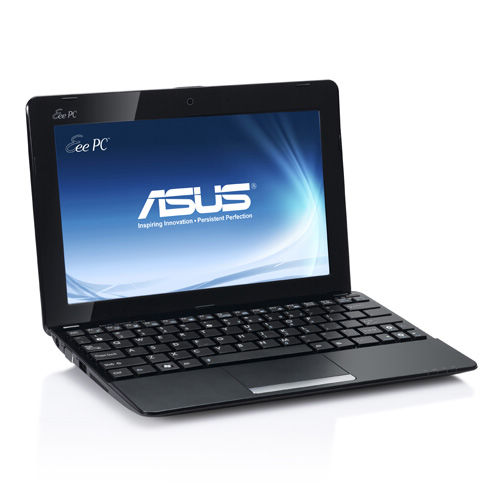
  • Massive 12.1″ 16:9 HD LED-backlit glare-type display for multimedia enjoyment
  • Enjoy Full HD 1080p video playback on a HDTV or big screen via a HDMI port
  • USB3.0 enables to transfer data at speeds up to 10 times faster than USB2.0
  • Features a camera cover over the webcam’s lens to give you added privacy
  • 500GB ASUS WebStorage complimentary online Eee Storage
Operating System Genuine Windows® 7 Home Premium
This version contains all product updates (SP1)
Display 12.1″ LED Backlight WXGA (1366×768) Screen
CPU Intel® Atom™ D525 (Dual Core; 1.8GHz) Processor
Memory DDR, 1 x SO-DIMM, 1GB ( Maximum 4GB )
Storage 2.5″ SATA 500GB HDD
500GB ASUS Web Storage*
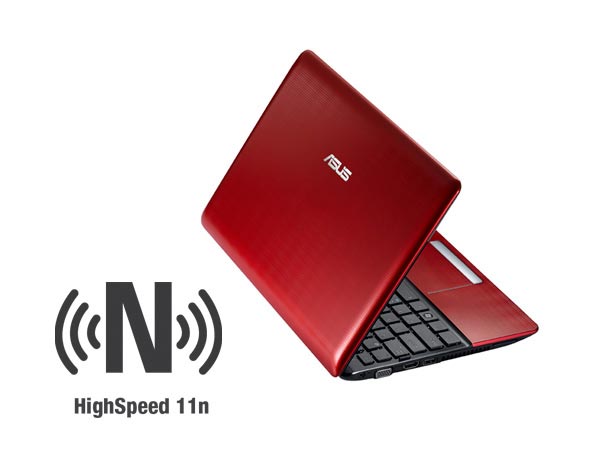
Wireless Data Network WLAN 802.11 a/b/g/n@2.4GHz
Bluetooth V3.0+HS(Optional)
Camera 0.3 M Pixel Camera
Audio Hi-Definition Audio CODEC
Stereo Speakers
High Quality Mic
Interface 1 x VGA Connector
1 x USB 2.0 (Optional)
2 x USB 3.0 (Optional)
1 x LAN RJ-45
1 x HDMI
2 x Audio Jack (Headphone/Mic-In)
1 x Card Reader : SD/ SDHC/ SDXC/ MMC
Battery 6 cells Li-ion Battery Pack, 6hrs
Dimensions 296 x 203 x 23 ~37 mm (WxDxH)
Weight 3.22 lbs. | 1.45 Kgs (w/ 6cell battery)
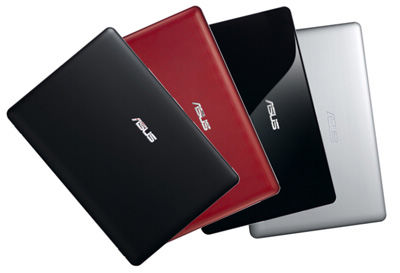
Color Glossy : Black, Red, Silver


Source : http://www.bestnetbooksbuy.com

Sunday, January 29, 2012

ASUS Eee PC 1215N Netbook (ep.1)

Description

Entertainment HD-enhanced with NVIDIA Optimus

With more HD content available now than ever, you need a netbook that can keep up. The Eee PC 1215N-PU27 has both performance and mobility to respond to the call. It features the new Intel Atom D525 dual-core processor, the next generation NVIDIA ION graphics, and a superb 12.1-inch HD screen to give you all the power needed for on-the-go enjoy HD. And with NVIDIA Optimus, the Eee PC 1215N intelligently switches between the NVIDIA ION graphics and embedded graphics to maximize battery life without compromising performance. Add to the LED backlit screen and ASUS Super Hybrid Engine, you can stay unplugged for up to 7 hours between charges. With sustainable mobility, it has a compact, scratch-resistant design that fits in cases, and backpacks – perfect for long trips or daily errands.
The Eee PC 1215N is one of the few select with HDMI connectivity. So when you feel like super-sizing of HD movies, simply connect to an HDTV and enjoy 1080p HD video and up to 8 channels. In addition, you get a total of 1000 GB Hybrid Storage – 500GB of ASUS WebStorage and a spacious 500GB hard drive – to store, share and store your music, videos and other valuable data. The Eee PC 1215N comes with chiclet-sized keyboard, stereo speakers, high-speed Wireless-N, 2 GB DDR2 memory, and Windows 7 Home Premium.

Ergonomic chiclet keyboard for comfort

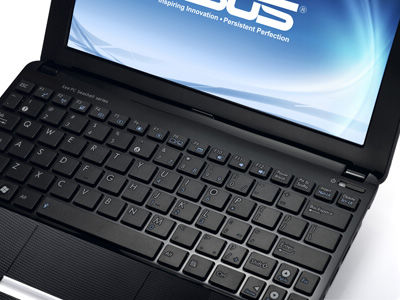
The Eee PC ™ Seashell chiclet keyboard is more comfortable and less fatiguing to type on for prolonged

Comfort On-the-Go

The Eee PC 1215N has more surface area for a wider wrist comfort. The ergonomic chiclet keyboard is huge, with concave keys that direct your finger to the center of the surface.
Weighing less than 3.3 lbs (with battery), the PC thin and light Eee 1215N is compact so that you can use in an aircraft or any small space with room to spare. The multi-touch trackpad lets you easily zoom in and out to view photos or read documents simply by dragging two fingers together or separately.

Satisfied with the unprecedented performance of energy efficiency

The Eee PC ™ 1215N defies the notion of netbooks being designed just to meet basic computer. The 1215N packs Intel ® Atom ™ D525 dual core processor and next-generation NVIDIA ® ION ™ graphics processor with discrete NVIDIA ® Optimus ™ technology to deliver a netbook with powerful capabilities of multimedia performance.
NVIDIA ® Optimus ™ technology intelligently switches between discrete and integrated graphics to provide the optimal graphics needed, thereby extending battery life in the process.

Power with Enhanced Battery Life

Equipped with the Intel Atom D525 dual-core processor, the Eee PC 1215N offers a more efficient power than its predecessor. Moreover, the ASUS Super Hybrid Engine allows you to instantly switch between power profiles to optimize the system for your task.
Now with NVIDIA Optimus, the Eee PC 1215N intelligently switches between NVIDIA ION graphics processor and Intel integrated graphics to give you maximum battery life without compromising performance.

High speed, efficient connectivity

The Eee PC ™ 1215N comes with USB 3.0 *, allowing you to transfer data at speeds up to 10 times faster than USB 2.0 **. Speed ​​and efficiency in a mobile platform stylish Eee PC ™ 1215N is a perfect combination of beauty and performance.
In addition, the 1215N is capable of charging mobile phones via the USB port even when the Eee PC is off. The mobile phone can also be powered by the battery of the Eee PC.
Built-in 0.3M pixel webcam is 1215N lets you video conference with business associates in a world far, while the Wi-Fi 802.11n and Bluetooth 3.0 * ensures that you are connected even when you’re on the road.


Your Companion portable Internet

Not only is the Eee PC 1215N have a 500GB hard drive, it also comes with 500 GB ASUS WebStorage complementarity, for a total of 1000 GB of storage capacity. WebStorage ASUS makes it easy for users to share media with friends and family via simple drag and drop a line interface so you can save your data and access it anywhere online.
Connect, communicate and explore online with features that turn your wireless world. High-speed Wireless-N connectivity is six times faster than 802.11b / g to surf the Web Snappy between your favorite sites and streaming video faster. The integrated webcam with lens cover and microphone lets you Skype face-to-face with friends, family and colleagues in crisp, clear quality.Connect, communicate, and explore online with features that turn your wireless world.
Bluetooth V3.0 gives transfer rates 160 times faster to your Bluetooth devices for synchronization of data faster and more reliable connections. The integrated webcam with lens cover and microphone lets you Skype face-to-face with friends, family and

Immersive multimedia

The Eee PC 1215N has a 12.1-inch LED-backlit HD, stereo speakers and HDMI connectivity so you can enjoy movies, videos and photos in amazing HD quality. With a display resolution up to 1366 x 768, you’ll experience crisp, true to life visuals while streaming content on-the-go. In addition, the LED backlit screen saves energy for the battery life longer and provides brilliant, better than the visual display without it. HDMI ready, the Eee PC 1215N easily connects to compatible HDTV screens and external to stream 1080p HD video with 8 channels of audio.
With the next generation NVIDIA ION graphics, the Eee PC 1215N is your own mini-entertainment center HD – provision of literacy HD 1080p via HDMI. NVIDIA CUDA technology further enhances the visual content Eee PC 1215N and casual gaming by accelerating graphics-intensive tasks like video editing and encoding of light.

Provide mass media entertainment

The next generation NVIDIA ® ION ™ discrete graphics processor in the Eee PC ™ 1215N enables it to offer a visual experience never before seen on netbooks. The 1215N is capable of smooth, clear video playback in 1080p high definition on its 12-inch 1366 x 768 HD widescreen with a 16:9 ratio.
Hardware decoders built into the 1215N perfectly decode file formats H.264, VC1 and MPEG2 while the HDMI output allows full HD 1080p playback on large screens.
The 1215N also features a camera lens on the front of the webcam to give you added privacy.


* Availability is dependent on selected model, country or operator support. Check with your local ASUS website for more details.
** Speeds quoted are component specification. Actual speeds may vary by configuration and devices used.
*** Complimentary one-year 500GB ASUS WebStorage trial. Please visit www.asuswebstorage.com for more details. Specifications are subject to change without prior notice. Please visit www.asus.com for more information.


Source : http://www.bestnetbooksbuy.com

Friday, January 27, 2012

ASUS Eee PC 1215B Netbook (ep.5)

Asus and AMD have a winner … about

Pros
-Came with Windows 7 Home Premium 64-bit
Processing power, E-350s and better than average graphics performance
Overall, great looking laptop
USB 3.0 Port
+-USBCharge, an application that allows you to charge your devices via USB even when the notebook is off
-6 Hours of battery life
Island-style keyboard with Home, PgUp, PgDn, and End keys (missing similarly spec’d Dm1z)
Cons
-Typical bloatware you find on many PC
-Trackpad is a unique link which is perceptible noise
-Partitioned hard drive came very strangely, it can be fixed easily enough in Windows 7, but the end user should not have to worry about that.
-Charging Adapter is not always responsible for the first plug-in laptop
Trackpad-insensitive when
Overall, I am satisfied with my purchase, but especially because I was able to fix many of the Cons I had with this laptop when I bought it. First I will focus on the benefits.
I think Windows 7 Home Premium 64-bit for more, because with a smaller form factor, it has rarely use the power to the 64-bit operating system. The first Pro is directly related to the second Pro, the processor is actually really good. I had Google Chrome works with about 12 tabs open, looking at a trailer in 720p with Microsoft Office applications running in the background and it handled the load very well. The trailer played at a respectable 28 fps without a drop in frames, a typical task of your single or double heart heart Intel Atom CPU could not do.
The USB 3.0 is a better place for future leak if it is not something else. USB 3.0 will become the norm in the case of the use and transferal device so its a pleasant surprise that Asus decided to include the port on this laptop.
Speaking of USB there are a total of 3 on this laptop, USB 3.0, USB 2.0, USB 2.0 port and a port of loading (the USB port on the left side of the laptop). This port in the conjunta USBCharger pre-installed software + program allows you to charge a device via the USB port while the laptop is off, does not sleep, not hibernation, completely cut off. This is the laptop that I travel a lot with its light and since I keep in my backpack. If the battery on my phone starts to run out, I can just plug my USB cable in the existing port and load up my camera, without the power on the laptop. This may not seem like a really great feature for many people but for mobile users is a very useful function.
Battery life is subjective depending on your usage, but I think it provided enough power to just spend my normal school day without having to carry a charger while being able to provide some juice to my smartphone . With brightness set to about 60%, wireless enabled, running on multiple tabs in Google Chrome, and typing into Google Docs, I get about 6 hours of use. Like any computer, if you start streaming video or run a heavy Flash content, you can expect to have your cup run about 30 to 40%.
The last I will speak Pro is the keyboard island. I am sure that this percent is a full keyboard, but it is quite comfortable to type on. The keys have a nice amount of compression and provides a satisfying click without being too noisy. I would prefer if the keys were slightly rubberized and less clever, but it’s better than your average keyboard to this form factor.
Now I will discuss the Cons. The bloatware is really easy to treat, go to control panel and remove programs you do not want. I do recommend you give this application a try first before deleting. + USBCharge is one of those rare gems that I really liked when it comes preloaded applications.
The bar Trackpad is a rare thing that I use with an application called TwoFingerScroll. This application allows you to add something for the MacOS keyboard as typing with two fingers to allow a right click, a gesture that pilots Synaptics trackpads typical PC does not natively support.
The hard drive is something I do not quite understand. The hard drive has about 300 GB available, but you can only access about 90 GB one. I had to use the Device Manager in Windows 7 to re-partition the hard drive. This is something that a technician would certainly not bothered, hell, I’m a geek and I’m bored with it, Asus should certainly solve this problem in the future.
When you look at the charging port on the 1215b you might confuse it with an audio jack or microphone because its so small. The charger has a very small plug that looks very fragile and could easily break overtime. I returned very late from class feeling pretty tired, so I grabbed my laptop from my bag, threw it on the charger, and collapsed on my bed to sleep a little much needed. The next morning I wake up grabbing my laptop to school to find that did not charge at all to 8 hours of his hip was in place. I checked the detachable cable connected and it was as it should so I’m not sure what’s going on. I unplug the charging cable and reconnected and boom, now it decides to load. This takes place at least 10 times since I am the owner of this laptop, it’s not a huge con, but be sure to take an overview of the LED load to ensure that its on before you leave only.
The biggest of them all for a Con trackpad. Simply put, it works sometimes and sometimes not at all. The main entrance to navigate on your mobile may decide to stop working at any second, crazy is not it. I uninstalled the Synaptics Touchpad drivers and grabbed the latest on the Asus website and I still encountered the same problem. I even started a different operating system (Linux Mint) and I still could recreate the same insensitivity trackpad, so I knew he was not in software. Fortunately, eeeuser.com gave me a solution. I had to force open and my laptop and remove two pieces of tape that were placed between the trackpad and the motherboard (to avoid the shock) to solve the problem. It’s really not excusable, all users have not encountered this problem, but knowing that I canceled my warranty potentially use my laptop is really discouraging.
So there’s my mini review of the 1215b, I made sure I used this laptop as far as I could before I wrote an opinion on it. With all the amenities that are listed, I will still give it a rating of 4 out of 5. There are not many E-350 processors available that come in a 12.1 to 11.6 form factor so my rating reflects the similar laptops that are available. The Dm1z have overheating problems that make the fan run continuously and lack of certain keys (those that I mentioned in the pros. X120e The Thinkpad has a 6 cell battery (like the 1215b), except that it exceeds from the rear, a design feature and I hate the Sony Vaio PCV-YB15KX is about 100 dollars more than the other E-350 similar spec’d laptops. You may or may not encounter the same problems as I had, but all things considered (after some tweaking of course), I am satisfied with my purchase. All electronics are going to have their gripes and defects, luckily mine were mostly fixable. He attractive design, attractive price points, respectable specs, really great form factor. When it comes to accessibility, portability and power, the 1215b is a really good competitor.


Sunday, January 22, 2012

ASUS Eee PC 1215B Netbook (ep.2)

Specification


ASUS Eee PC 1215B-MU17-BK Netbook : Unprecedented performance for fun excellent multimedia

  • Genuine Windows® 7 Home Premium
  • Thin and light AMD Brazos platform with Accelerated Processing Unit (APU) combines high performance with low power consumption
  • ATI Radeon HD 6310 integrated graphics, DirectX® 11 and Unified Video Decoder 3 for high definition visuals
  • Enjoy Full HD 1080p on a HDTV or big display via a HDMI connection
Operating System Genuine Windows® 7 Home Premium
Display 12.1″ LED Backlight WXGA (1366×768) Screen
CPU AMD® Fusion APU E350 1.6GHz (dual core) Processor
Graphic AMD® Radeon HD 6310
Memory DDR3, 1 x SO-DIMM, 2GB
Storage 2.5″ SATA 320GB HDD, 5400 RPM
Wireless Data Network WLAN 802.11 b/g/n@2.4GHz
Bluetooth V3.0+HS(Optional)
Camera 0.3 M Pixel Camera
Audio Hi-Definition Audio CODEC
Stereo Speakers
High Quality Mic
Interface 1 x VGA Connector
2 x USB 2.0 + 1 x USB 3.0
1 x LAN RJ-45
1 x HDMI
2 x Audio Jack (Headphone/Mic-In)
1 x Card Reader : SD/ SDHC/ SDXC/ MMC
Battery 8 hrs*, 6-Cell 56Wh Li-ion Battery
Dimensions 296 x 203 x 38 mm (WxDxH)
Weight 3.2 lbs. | 1.45 Kgs (w/ 6cell battery)
Color Matte : Black, Silver
Glossy : Black
Matte & Glossy Mixed : Red

Friday, January 20, 2012

ASUS Eee PC 1215B Netbook (ep.1)

Description

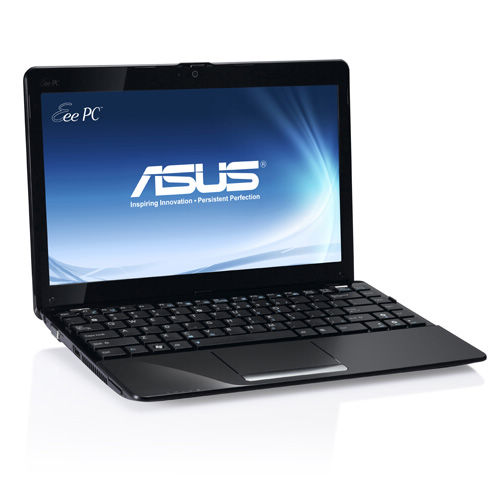
The Eee PC 1215B offers users the best portable multimedia enjoyment for its size. With the latest AMD E350 dual core processor – a high performance CPU and GPU, expect the best in multimedia entertainment. With super low power consumption that the Eee PC 1215B pulls, enjoy up to 8 hours of battery life. With sustainable mobility, it has a compact, scratch-resistant design that fits in cases, and backpacks – perfect for long trips and overnight races.
The Eee PC 1215B is also one of the few select with HDMI connectivity. So when you feel like super-sizing of HD movies, simply connect to an HDTV and enjoy 1080p HD video and up to 8 channels. In addition, you get a roomy 320GB hard drive – to store, share and store your music, videos and other valuable data. With built in Wi-Fi 802.11b/g/n and Bluetooth 3.0, while staying online on the go has never been easier. Transfer pictures and more than 10 times faster than USB 2.0 with the latest USB 3.0 ports built into the Eee PC 1215B. The Eee PC 1215B also comes with chiclet keyboard size, high stereo speakers, 2GB of DDR3 memory, and Windows 7 Home Premium.

Designed to Entertain

Built with the latest AMD platform, the Eee PC 1215B offers better battery life, performance, flexibility and responsiveness of HD capabilities. With the integrated ATI Radeon ® HD 6310 graphics, the Eee PC 1215B offers users the best portable multimedia enjoyment for its size. DirectX ® 11 support – exceptional 3D performance allows users to play video games and smoother than ever.

Superior performance with the AMD dual core processor

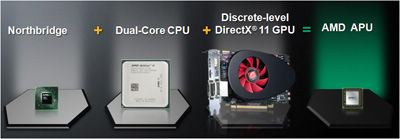
The latest AMD Brazos dual core processor allows users an unprecedented experience of all new Accelerated Processing Unit (APU). The APU combines a high performance CPU and GPU users, delivering the ultimate in multimedia entertainment. With super low power consumption that the Eee PC 1215B draws, you can have fun anytime, anywhere.

Incredible HD multimedia experience

With embedded ATI Radeon ® HD graphics *, the Eee PC 1215B offers users the best portable multimedia enjoyment for its size. DirectX ® 11 support – exceptional 3D performance allows users to play video games and smoother than ever. In addition, users can enjoy smooth, full HD 1080p content via HDMI to an HD display without any latency. Connect to a home theater system to enjoy. Surround read his side of Full HD content for the ultimate visual experience. The 12.1 “screen offers a larger screen size compared to traditional netbook for a more comfortable viewing experience.

Immersive multimedia

The Eee PC 1215B has a 12.1-inch WXGA LED, stereo speakers and HDMI connectivity so you can enjoy movies, videos and photos in amazing HD quality. With a display resolution up to 1366 x 768, you’ll experience crisp, true to life visuals while streaming content on-the-go. In addition, the LED backlit screen saves energy for the battery life longer and provides brilliant, better than the visual display without it. HDMI ready, the Eee PC 1215N easily connects to compatible HDTV screens and external to stream 1080p Full HD 8 channel audio.

Comfort On-the-Go

The Eee PC 1215B has more surface area for a wider wrist comfort. The ergonomic chiclet keyboard is huge, with concave keys that direct your finger to the center of the surface.
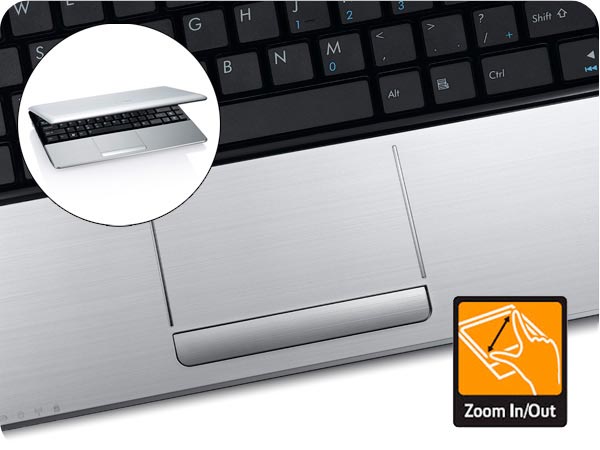
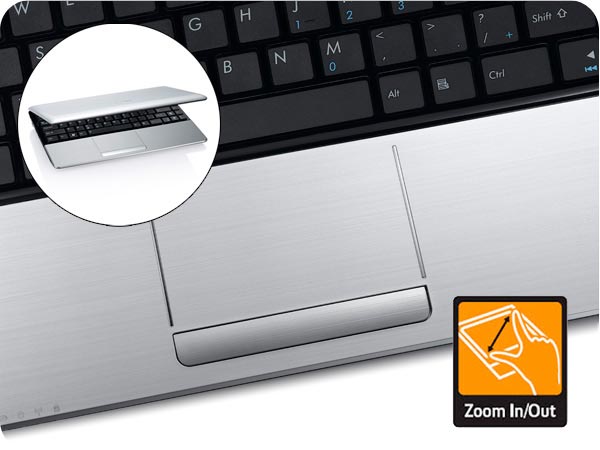
Weighing only 5.6 pounds (with battery), thin and light Eee PC 1215B is compact, you can use it on a plane or any other confined space with room to spare. The multi-touch trackpad lets you easily zoom in and out to view photos or read documents simply by dragging two fingers together or separately.

Super charge your battery

With consumption Brazos “low power, the Eee PC 1215B can provide up to 8 hours ** of battery life. Users can enjoy all day computing without worrying about the need to reload a few hours.

Choice of multiple colors to fit your style

Available in a stylish shell, the Eee PC 1215B comes in a variety of colors, finishes and textures. Choose the one that suits your style.

Stay Connected

Stay connected a variety of ways. With built in Wi-Fi 802.11b/g/n and Bluetooth 3.0 *, to stay online on the go has never been easier. With access to more than 100,000 Boingo hotspots around the world, you’re sure to always keep in touch. Transfer pictures and 10 times faster than USB 2.0 *** over the USB 3.0 ports * Built-in Eee PC 1215B.

Connectivity included

Not only is the Eee PC 1215B has a 250GB hard drive, it also comes with unlimited additional ASUS ASUS WebStorage WebStorage. it easy for users to share media with friends and family via a simple drag and drop and the online interface so you can store and access data anywhere online.
Connect, communicate and explore online with features that turn your wireless world. High-speed Wireless-N connectivity is six times faster than 802.11b / g to surf the Web Snappy between your favorite sites and streaming video faster. The integrated webcam with lens cover and microphone lets you Skype face-to-face with friends, family and colleagues in crisp, clear quality.

* Availability is dependent on selected model, country or operator support. Check with your local ASUS website for more details.
**Operation lifetime subject to product model, normal usage conditions and configurations. For more information, please visit here.
*** Speeds quoted are component specification. Actual speeds may vary by configuration and devices used.


Source : http://www.bestnetbooksbuy.com

Wednesday, January 18, 2012

ASUS Eee PC 1015PX Netbook (ep.5)

Do not send a boy to a man’s job

From the title, I think I do not like this little guy. This is not the case. This is a very useful netbook. This is not a real high power laptop. If this is what you do not buy this product, however, if you are looking for a small lightweight email retriever that has functions for calculating this is your guy. If you think an iPad and then realize that it is not a computer, and then think about what it can do for me there was no question. I want a real keyboard, I want the memory, hard drive and I’m not a player.
Benefits:
It seems to start quickly – seems faster to start a desktop high power.
It’s small, lightweight, has a good screen with a matte rather than glossy surface and a proper keyboard (remember he is only 10 inches, but it is a good-sized keyboard in) Windows 7 Home Premium already installed, 2 GB of memory already installed, but the superb wifi reception is what sold me. I travel and some hotels that say they have wifi, have very limited range of WiFi. WiFi range and ability to pull in a signal are amazing. I compared my old Acer and it still has 2 bars (4 bars with Acer gets 2 bars).
Some commentators have noted the quality was lacking in the construction of their computer. AFAIK, the computer works fine without any problems. I rate the build quality and high coverage as dull and matte screen: the cover to avoid fingerprints and show the screen to be more readable in bright light.
Disadvantages:
The right shift key is very small.
I hate the touchpad – but I also do not like touch pads – you want to buy a mouse
The battery is supposed to work for 11 hours – with perhaps no screen brightness and letting it idle. In 4-6 hours heavy use.
It works moderately hot to hot – not uncomfortable, but it would be great on a cold night.
No software restoration.
I did not drive partitions where it came with. Windows 7 has a partition tool and I just bothered to get it the way I wanted.
It was announced as having two speakers – a little bit of noise produced.
There is only one input jack and output (microphone or headset – with a toggle switch on the screen)
Remember that none of these small computers have an external hard drive – they cost $ 30-40 and you’ll probably want.
Conclusions:
Would I buy again and should you buy. If you will use to travel primarily as a retriever and email – while doing some computer – I would definitely buy this. It is less than $ 400. If I needed a machine that has no serious computing, however, unless you’re willing to spend $1000 and there are no computers that light. There are some 13 and 14 inches people beautiful – in the range 3.5 pounds for about $700 – $800. I understand that some lighter weight of the computers 13 and 14 inches will be available in spring 2012 for $600 or more.

Thursday, January 12, 2012

ASUS Eee PC 1015PX Netbook (ep.2)

Specification

Eee PC 1015PX – Slim and Stylish Outlook With All Day Computing

  • Genuine Windows® 7 Starter & Home Premium
  • Dual core Intel® Atom™ N570 processor for unprecedented performance
  • Enjoy all-day-computing with 11 hours of battery life
  • Stylish seashell design in a variety of matte or glossy colors
  • Comfortable user experience with extremely large touch pad and ergonomically chiclet keyboard
  • Instant boot up through dual OS – Express Gate & Win7


Operating System Genuine Windows® 7 Home Premium
Display 10.1″ LED Backlight WSVGA (1024×600) Screen
CPU Intel® Atom™ N570 Processor
Memory DDR3, 1 x SO-DIMM, 2GB ( Maximum 2GB )
Storage 2.5″ SATA 320GB HDD
Wireless Data Network WLAN 802.11 b/g/n@2.4GHz
Bluetooth V3.0
Camera 0.3 M Pixel Camera
Audio Hi-Definition Audio CODEC
Stereo Speakers
High Quality Mic
Interface 1 x VGA Connector
3 x USB 2.0
1 x LAN RJ-45
1 x Audio Jack (Headphone/Mic-In)
1 x Card Reader : SD/ SDHC/ MMC
Battery 11hrs (6cells, 56W/h) battery life
Dimensions 262 x 178 x 23.6 ~36.4 mm (WxDxH)
Weight 2.76 lbs. | 1.25 Kgs (w/ 6cell battery)
Color Matte : Black, Blue, Red, White
Glossy : Black, Blue, Red, White

Source : http://www.bestnetbooksbuy.com

Tuesday, January 10, 2012

ASUS Eee PC 1015PX Netbook (ep.1)

Description

Natural Beauty, sustainable mobility

The Eee PC 1015PX-SU17 has both performance and mobility to provide the perfect blend of multitasking productivity, with a rich multimedia and Internet experience. It features the new Intel ® Atom ™ N570 dual-core processor and a 10.1-inch matte screen to give you great all the power necessary for on-the-go fun. Add to the LED backlit screen and ASUS Super Hybrid Engine, you can stay unplugged until 11 hours between charges. With sustainable mobility, it has a compact and scratch-resistant mat that fits perfectly in the briefcases and backpacks ideal for long trips or daily errands.
For added comfort, it comes with Bluetooth v3.0 for up to 160 times faster data transfer rate between Bluetooth devices. In addition, you get unlimited space ASUS WebStorage and a hard drive roomy 320 GB hard disk to store, share and backup your music, videos and other valuable data. The Eee PC comes with 1015PX size chiclet keyboard, stereo speakers, high-speed Wireless-N, 2 GB DDR3 memory, and Windows 7 Home Premium.

Key Features

  • 10.1-inch LED-backlit display for crisp visuals wherever, whenever
  • Intel Atom N570 dual-core processor for energy-efficient multitasking
  • ASUS Super Hybrid Engine maximizes battery life up to 11 hours between charges
  • High-speed wireless N and Bluetooth v3.0 for rich networking and extended wireless connectivity throughout your home and office
  • Express Gate Cloud allows users to get online in an instant without the need to boot in to Windows

Performance laptop, netbook-sized

With the most powerful Intel ® Atom ™ dual-core *** ever, the N570 provides the perfect blend of multitasking productivity, with a rich media experience and the Internet. Add to a battery that lasts all day, and you have the Eee PC 1015PX netbook days, the perfect travel companion.

Comfort On-the-Go

The Eee PC 1015PX has more surface area for a wider wrist comfort. The ergonomic chiclet keyboard is huge, with concave keys that direct your finger to the center of the surface. Weighing less than 2.76 pounds (with battery), the Eee PC 1015PX is compact you can use it on a plane or any other confined space with room to spare. The multi-touch trackpad lets you easily zoom in and out to view photos or read documents simply by dragging two fingers together or separately.

Take comfort

A comfortable typing experience is within your reach with an ergonomic chiclet keyboard and large touchpad with the technology of the palm. Comfortable even after extended use with the Eee PC 1015PX.


Power with Enhanced Battery Life

Equipped with Intel Atom N570 dual-core processor, the Eee PC 1015PX delivers a power efficient than its predecessor. Moreover, the ASUS Super Hybrid Engine allows you to instantly switch between power profiles to optimize the system for your task. Use the Eee PC 1015PX up to 11 hours between charges * to stay productive on the go.

Stay tuned, more

The Eee PC 1015PX does the job all day with exclusive ASUS Super Hybrid Engine (SHE) technology. It helps intelligently optimize the system, to give you maximum power when you need it, and max battery when you do not. Use the Eee PC 1015PX up to 11 hours between charges * to stay productive on the go.

Immersive multimedia

The Eee PC 1015PX has a 10.1 inch WSVGA LED-backlit matte display and stereo speakers, so you can enjoy movies, videos and photos of a sharp, clear quality. With a matte screen LED backlit, you will experience clear images streaming content on-the-go without distracting glare particularly useful when you are out. In addition, the LED backlit screen saves energy for the battery life longer and provides brilliant, better than the visual display without it.

Get online in an instant

The Eee PC 1015PX comes with Windows ® 7 and Express Gate Cloud, which allows users to get online in an instant without having to boot Windows. Have fun and surf, chat or play games with a friendly user interface.


Compact and stylish

With a 10.1″ LED backlit screen (1024×600), the Eee PC 1015PX displays sharp and vivid graphics in a portable format. Coming in a stylish shell that is easy to distinguish a variety of colors in matte or gloss, ** there is one that reflects your personal style and taste.

Your Companion portable Internet

Not only is the Eee PC 1015PX have a 320GB hard drive, it also comes with an unlimited space of complementarity ASUS ASUS WebStorage WebStorage.3 it easy for users to share media with friends and family via a simple drag and drop online interface so you can save the data and access it anywhere online.
Connect, communicate and explore online with features that turn your wireless world. High-speed Wireless-N connectivity is six times faster than 802.11b / g to surf the Web Snappy between your favorite sites and streaming video faster. Bluetooth V3.0 gives transfer rates 160 times faster to your Bluetooth devices for synchronization of data faster and more reliable connections. The integrated webcam with lens cover and microphone lets you Skype face-to-face with friends, family and colleagues crisp, clear quality.

Cloud computing: Imagine, Access, and do more with ASUS ‘Cloud Computing Service Home Eee

  • Every Eee PC 1015PX comes with the platform exclusive ASUS Eee Docking
  • which serves as a practical one-stop solution that gives you easy access to digital content, services and other useful software.
  • Access allows you to stream or download a variety of exciting digital content. It includes ASUS @ Vibe, Game Park.
  • Easy sharing allows you to keep all your photos, music, videos, documents, bookmarks, and more in tune and up to date on all your computers. It includes E-cam ** and Syncables.
  • Xperience offers a variety of applications that makes it easy for you to adjust the font size on your Eee PC with Font Resizer.
  • Tools has a suite of useful tools such as live update, LocaleMe ** sit home to enhance your user experience Eee PC.
* Life of operation subject to product model, normal usage conditions and configurations.
** Availability depends on the support model, country or the selected operator. Check with your local ASUS website for more details.
*** Comparisons made with an Intel Atom N455 processor core simple test performed by PC Mark


Source : http://www.bestnetbooksbuy.com

Sunday, January 8, 2012

ASUS Eee PC 1015PN Netbook (ep.8)

Netbook looks like a job!

Love this netbook!
Surprisingly, … I bought this to use for a mobile HTPC (home theater PC).
I currently have an old dual core laptop integrated graphics set up in my living room running Boxee by a VGA cable and audio, and I wanted to replace it with something that had HDMI and can be moved between rooms.
This netbook is great!, Feels more catchy than my M4400 mobile workstation while surfing the net quality of the film, and the graphics are fantastic, the long battery life for travel.
This makes my laptop slow Boxee others seem stupid.
Major improvements:
Windows 7 Home Premium or Ultimate (allow automatic switching between Intel integrated graphics Ion and Ion dedicated)
2GB of ram (Note the Crucial Memory buy all listed on Amazon is WRONG!, And will not work .. hope they will solve this problem, but check before buying)
I’m still only running 1 GB while I wait for the new memory to come, and still great speed
Questions: I struggled a bit to get the correct HDMI sound driver after installing Windows 7 Ultimate cool because it was not on the Asus or Nvidia site
… Supposedly it should be included in the drivers Nvidia Ion, .. but mine does not work.
Just look for Nvidia HDMI driver, Ion
I have not had a chance to test battery life yet, but show more and 9HR on integrated graphics and a brightness of 60% … over 6 hours with dedicated graphics performance and super ION selected
I still have not installed and games, or 3D design programs, but I’m sure he can handle it
So pros:
Fast enough to use computers on average you do not know that it is a netbook
Great graphics performance
Excellent battery life
HDMI output
sleek design
Less:
Windows Starter does not allow automatic switching graphics
can not be settled by the mouse sleep
Will run warm when running HD, but not bad
So good I want to use all the time for my main computer and have a hard time letting connected to a TV
I recommend it! … In fact I do not think I’ll ever buy a bigger laptop new

Saturday, January 7, 2012

ASUS Eee PC 1015PN Netbook (ep.7)

Wonderful netbook

I’m not the type of technology huge (which I guess is my way of saying “I’m terrible with technology), so I’ll put this in plain language in hopes of answering any questions I had before , I bought it for me.
Tip: Know what you’re getting into when buying a netbook. so many people are unhappy with netbooks, but in all honesty, they probably have not been informed in their choice first. Thinking and research to find out if you want a netbook or laptop. or perhaps even a tablet. For me it was great for what I wanted.
short story: a netbook of its 5 / 5.
Long story: I was not really move in that informed decision, but I knew I
was much more prepared than the average person. I knew I wanted
something that could handle my duties and for World of Warcraft
Additional boring classes this fall, when I go to college. it manages
school, WoW, Facebook, Netflix and just about everything else
I wanted to. I use it more than my game on huge beast
laptop now.
Some of the things I wanted to know before I bought:
- The quality of Netflix is ​​weak at times but very watchable. If you want to experience the most intact and the strike, then look into a TV LED.
- Here is the upgrade to 2 GB that I bought. [...]
do not know if this is the best, but it really works. Performance is much improved
- Be good for the power cord. it is not fragile, really, but I understand why people
might complain that it is.
- The touchpad has a slight effect in deadspot the center, but it really is not
bad at all. but I use a wireless mouse most of the time anyway
- Yes, World of Warcraft does not run:) Here are the details for those of you
ask – Yes, I am a player of the CATA. I have two raids and PvP, and even before the upgrade to 2GB of memory, it was quite playable on low settings. Even during the busiest times in Orgrimmar, it was playable. He even took ventrilo at the same time. But definitely consider upgrading the memory. and even if you are looking for a stunning visual experience, look in the Republic of Gamers Asus laptops. or perhaps alienware? I need something to play on the laptop during my college courses and I did not want to lug my 20-inch beast. it was a good compromise.
- Buy a USB drive. save all your documents on it. it might help
computer performance in the long run, but now it’s too early to tell.
- You can probably put in 2 GB chip on your own. geeksquad not to go or something to do, because they’ll charge you $ 40 to unscrew the bottom and push it for you. I could put it in mine, and I do not know a thing about the components.
- Not too bad with the bloatware. I obtained most simply by removing and uninstalling stuff.

Friday, January 6, 2012

ASUS Eee PC 1015PN Netbook (ep.6)

Cannot go wrong with ASUS and NVIDIA

I was looking for a new netbook to replace one that I gave to my daughter for school. My goal was to find one with the best equipment at the best price possible. After much research I found that most low for netbooks are basically the same mediums. Between the processor, graphics card, hard drive and there’s really not much difference. With this netbook I was please to see that ASUS, long (10 + years) motherboard manufacturer of my favorites, had a line of PC. I was even happier when I discovered that the graphics used in this netbook is a NVIDIA, which is also a favorite for many years. Even better than the video 512K dedicated memory, which means it does not use valuable system RAM, unlike the netbooks that have Intel graphics card that shares system memory. Other great material for a netbook features an Intel Atom Dual Core, Bluetooth, an HDMI port, and a 6-cell battery. Compared with the standard netbook configuration, the material on this netbook is well worth the extra ~ $ 50.
I think the upgrades:
1. The netbook comes with only 1G of memory, which seems to be the standard for netbooks. I do not understand why they did not come with at least 2G because it’s cheap. I bought the Crucial DDR3 2G, which was suggested by Amazon. I do not know why they did it so difficult to access the RAM, but it’s tricky. There is a youtube video on how it’s done, he looks up, it’s not in English, but the main thing is to see how it’s done. I was nervous break down the door of the compartment, but it worked. Watch the video several times before he tries.
2. Install Windows 7 32bit, taste it, but the original Windows 7 Starter. Do not install a 64-bit version. To really take advantage of features 64-bit requires a system with at least 4G of RAM, so do not worry. I do not upgrade to different versions of Windows, I prefer the format hard disk and do a clean install. Since the netbook lacks an optical drive, you will need to use an external drive or USB-install of Windows 7. WinToFlash, he looks up, is very good for creating a bootable USB memory stick to install Windows 7. Hardware drivers are available on the ASUS website for devices that are not automatically detected by the installation of Windows 7. Download and install the NVIDIA graphics driver from NVIDIA.
3. Download and install some software utilities for the ASUS netbook. I only use four utilities mainly because I want to preserve the memory, which is rare on a netbook. SuperHybridEngine is a utility that provides easy access and configuration netbook’s power and performance features. GraphicsSwitch, it is easy to switch between using the NVIDIA ION graphics processor and Intel graphics. ASUS KB Filter Driver provides functionality of various function keys and key SuperHybridEngine / Wireless at the top of the keyboard. Elantech touchpad driver, the touchpad has a feature sliding your finger and also has a detection feature that disables the mouse touchpad automatically when external mouse is plugged
I had the computer for 2 months now, but with the upgrade to 2G of RAM and Windows 7 installed the system is very responsive. Opening applications is fast enough, switching between applications is smooth. Netflix streaming via HDMI port to my TV works great and looks decent. Connect the HDMI automatically sound the netbook on television, which is a great feature. Netbooks are not designed for gaming machines, but with the dual core processor, NVIDIA graphics card and upgrade to 2G of RAM, this netbook has a better chance to start a game with the netbook standard single core processor and an Intel graphics card, even with 2G of RAM. Games like Star Wars Battlefront II, Tomb Raider, Starcraft II and work quite well and the graphics are quite impressive for this little computer. Maybe my power settings are not correct, but I was not able to run 9.5 hours between charges yet, but I ran up to 6.5 hours. The only drawback I’ve seen so far, although minor, is that the finish on the palm rest and clam shell shows fingerprints very easily. Overall, very satisfied with the equipment and the price I paid for it.